Input Panel
The Input panel contains the inputs required to train a machine learning model or to segment a dataset.
, including the classifier engine and its parameters, as well as the dataset(s), segmentation labels, and masks — that are used to train the classifier.
Click the Input tab on the Segmentation Trainer dialog to open the Input panel, shown below.
Input panel
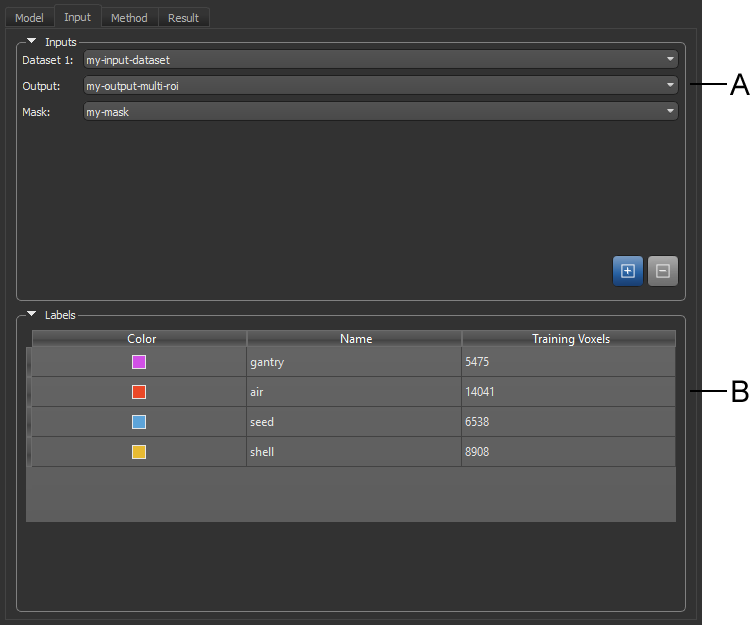
A. Inputs B. Labels
 Model Inputs
The inputs associated with the current model — Dataset(s), Output, and Mask — are displayed in the Inputs box, as shown below. Adding or removing dataset inputs can be done by clicking the Add and Remove buttons.
Model inputs
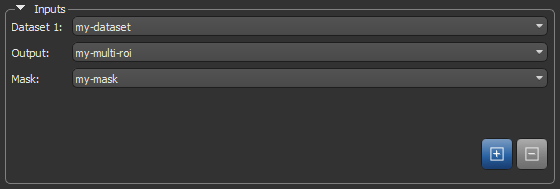
The first column of an input table is an editable descriptive name that will be saved with the model. The second column is the name of the input that was added to the classifier from the Data Properties and Settings panel. When a saved classifier is loaded, only the first column will be filled. You will then need to add the required inputs to segment a dataset or to modify the classifier.
|
|
Icon |
Description |
|---|---|---|
|
Add |
|
Adds a dataset input. NOTE You can only import a region of interest as a segmentation label or mask if it has the same size and shape as the dataset(s) with which you are working and contains labeled voxels. ADD TO ABOVE. MULTI-ROI AND MASK MUST HAVE THE SAME SHAPE AS THE INPUT DATASET. |
|
Remove |
|
Removes the selected input(s). |

 Datasets
Datasets, also known as channels, are mandatory to train a classifier and subsequently segment a dataset since they form the base of the features tree. Different features can be extracted from the dataset to first train the classifier and then segment the dataset based on those features. See Method Panel for information about the features tree.
Output (Multi-ROI)
Segmentation labels, which are mandatory to train a classifier, spatially define the pixels used for training. These training regions of interest are dependent on the dataset and the element to segment in it. They must be representative of the whole dataset, but it is not recommended to have large training ROIs since it will take long to train the classifier and it might lead to over training. Once a classifier has been trained, it is possible to segment a dataset without importing any segmentation labels.
Refer to the topics in Regions of Interest for information about creating and managing ROIs. You can use the ROI Painter Tools to create the required segmentation labels.
Training is always done on the image plane and all segmentation labels must be created on that plane.
Segmentation Labels for Pixel-Based Training
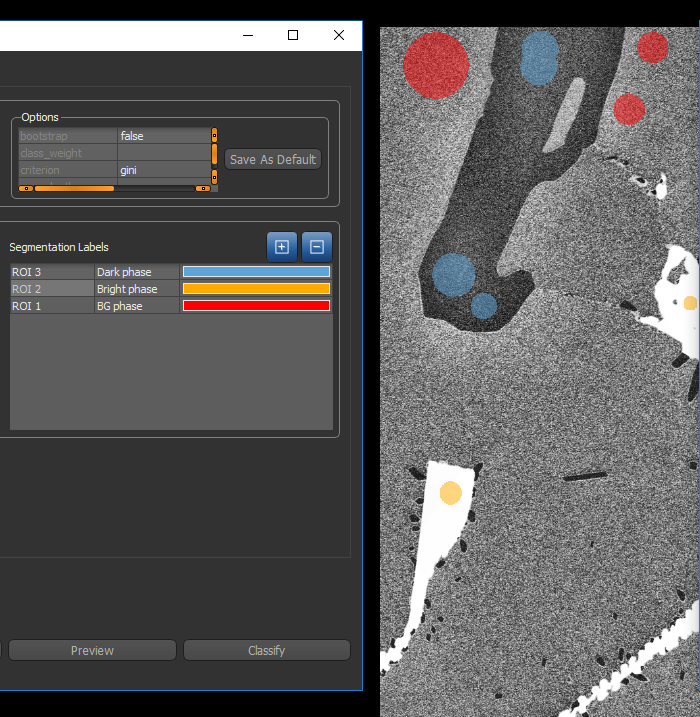
The figure below shows an example of segmentation labels provided to the classifier for pixel-based training.
Segmentation labels for pixel-based training
Segmentation Labels for Region-Based Training
The figure below shows an example of segmentation labels provided to the classifier for region-based training.
Segmentation labels for region-based training
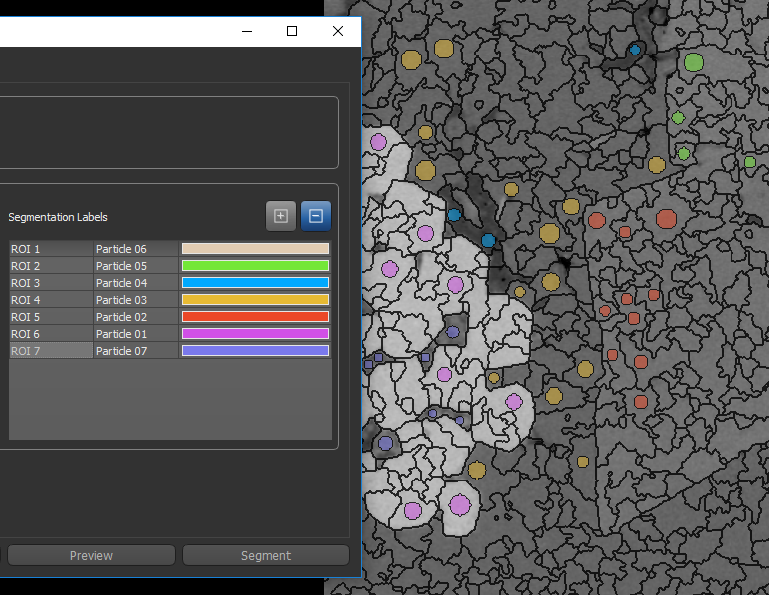
Whenever you create segmentation labels for region-based training, you must ensure that the region of interest of one class does not overlap the region of another class. If required, you can generate the regions prior to creating the segmentation labels. Refer to the instructions Generating Regions for information about selecting region generators and generating regions.
Masks
Masks, which are optional, can be added as an input to define the working space for the trainer. Masks, which must include all of the segmentation labels, can help reduce training times and increase training accuracy. Without a mask, the whole dataset(s) will be used for training.
Labels
Description pending.
|
|
Description |
|---|---|
|
Color |
|
|
Name |
|
|
Training Voxels |
Indicates the number of training voxels in each label and is computed for any applied mask. |